Overview
We’ve enhanced the
Bulk Edit
Availability experience to make multi-user schedule
updates clearer, safer, and more structured.With improved visibility into weekly and date-specific hours — along with smarter save logic — managing availability for multiple team members is now more predictable and controlled.
What’s New
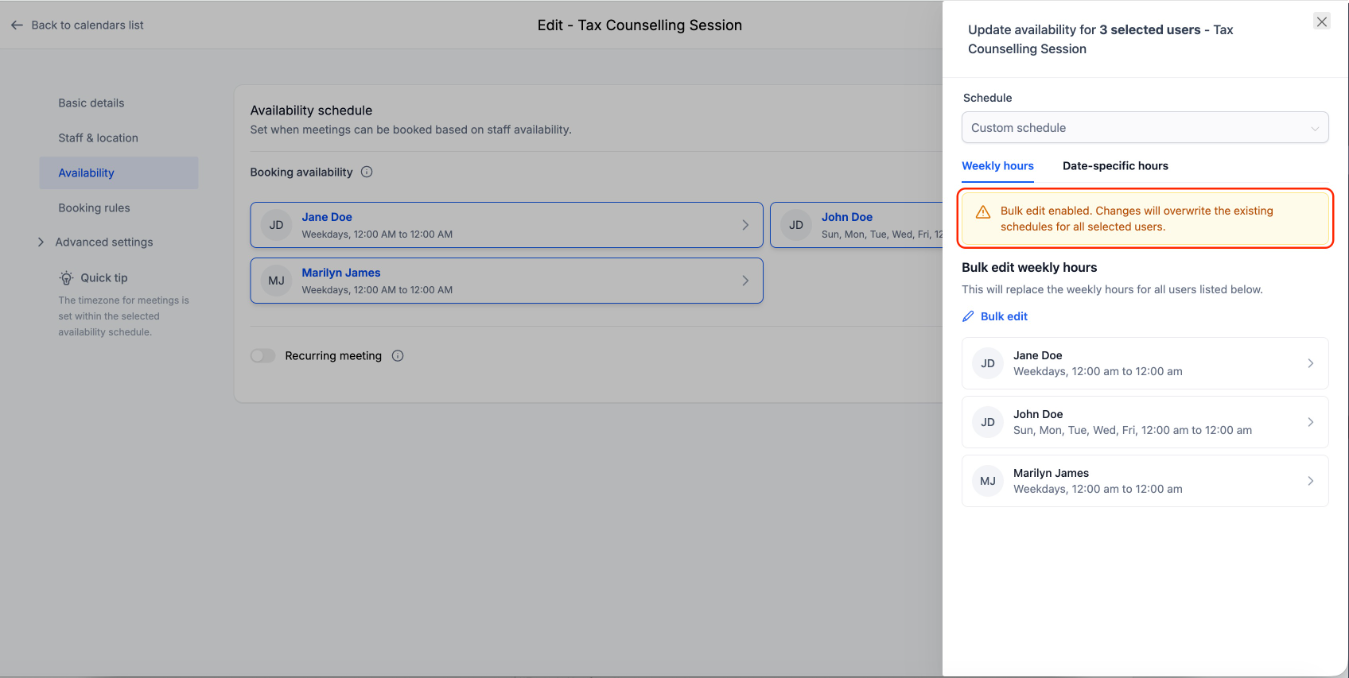
Clear Impact Intimation for Weekly Hours
When editing
Weekly hours
in Bulk Edit mode, an informational banner now appears to indicate that changes will apply to all selected users.This ensures you understand the impact before saving.
Structured View of Date-Specific Hours
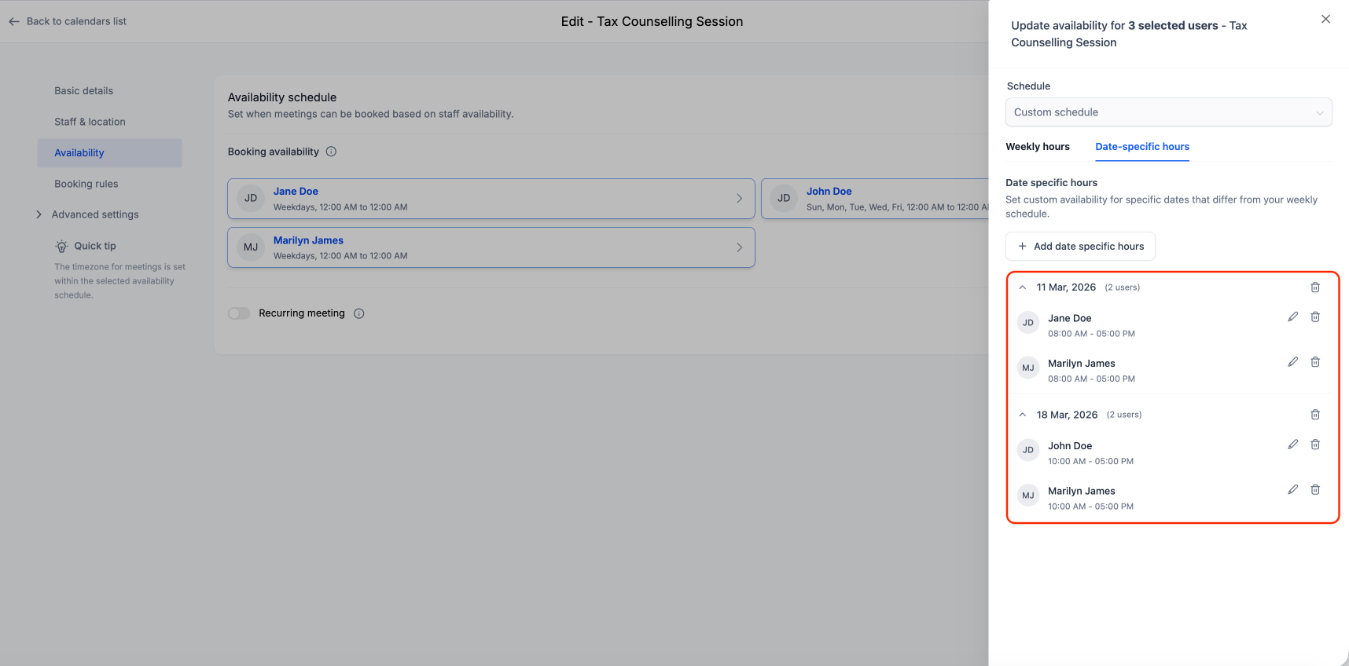
Date-specific hours are now displayed in a
grouped-by-date format
across all selected users.For each date, you can:
- See how many users have availability set
- View individual user time blocks under that date
- Edit or delete entries per user
This gives full visibility into schedule exceptions before making changes.
Add Date-Specific Hours in Bulk
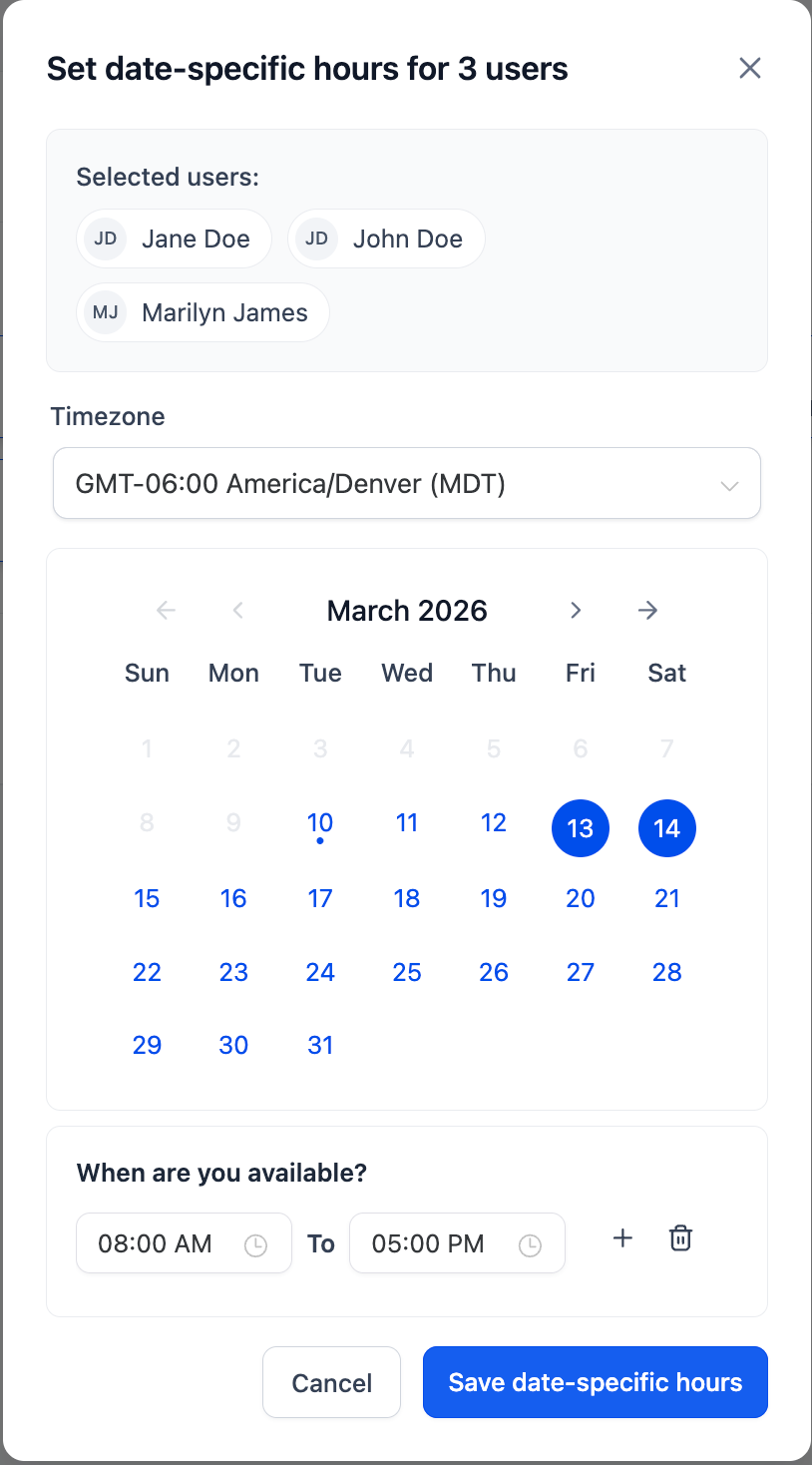
When adding new date-specific hours:
- The time block automatically applies to all selected users
- You can later edit or remove entries individually if needed
Smarter Save Logic
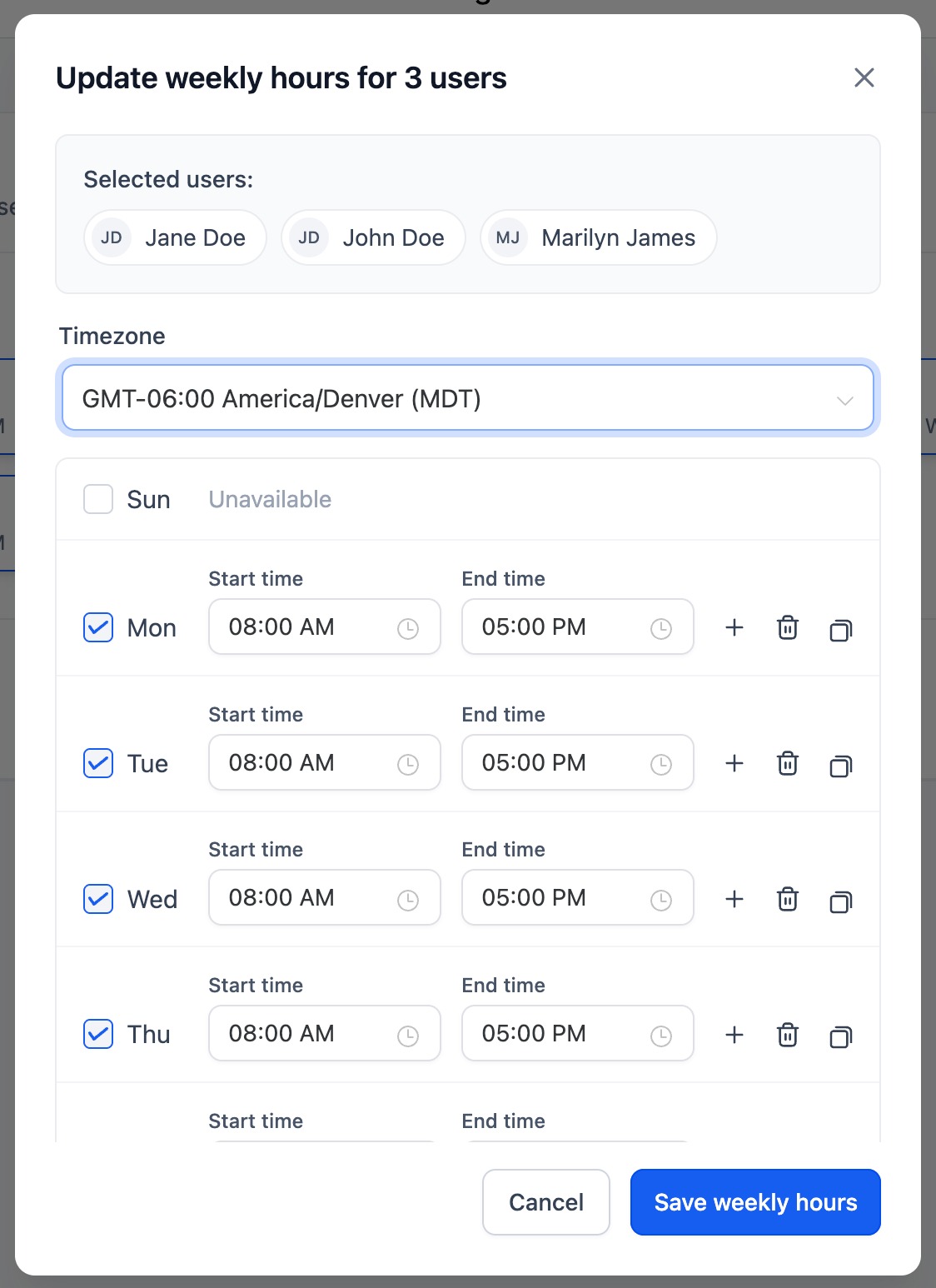
Save behavior is now section-specific:
- Updating Weekly Hours only modifies weekly schedules
- Updating Date-Specific Hours only modifies date exceptions
This prevents accidental schedule loss during bulk edits.
How to Use
- Go to *Calendars → Calendar Settings →Edit a Calendar→ Availability* tab
- Click Bulk edit
- Select team members and click on Edit hours
- Modify Weekly or Date-Specific Hours
- Click Save Changes
- Only the edited section will be updated.
Why This Matters
- Reduces accidental schedule overrides
- Improves clarity when managing multiple users
- Provides structured visibility into date exceptions
- Makes bulk availability updates safer and faster
Was this article helpful?
That’s Great!
Thank you for your feedback
Sorry! We couldn't be helpful
Thank you for your feedback
Feedback sent
We appreciate your effort and will try to fix the article